
Health Charts
Your Health data, charted over days, weeks and years.
Testing for iPhone
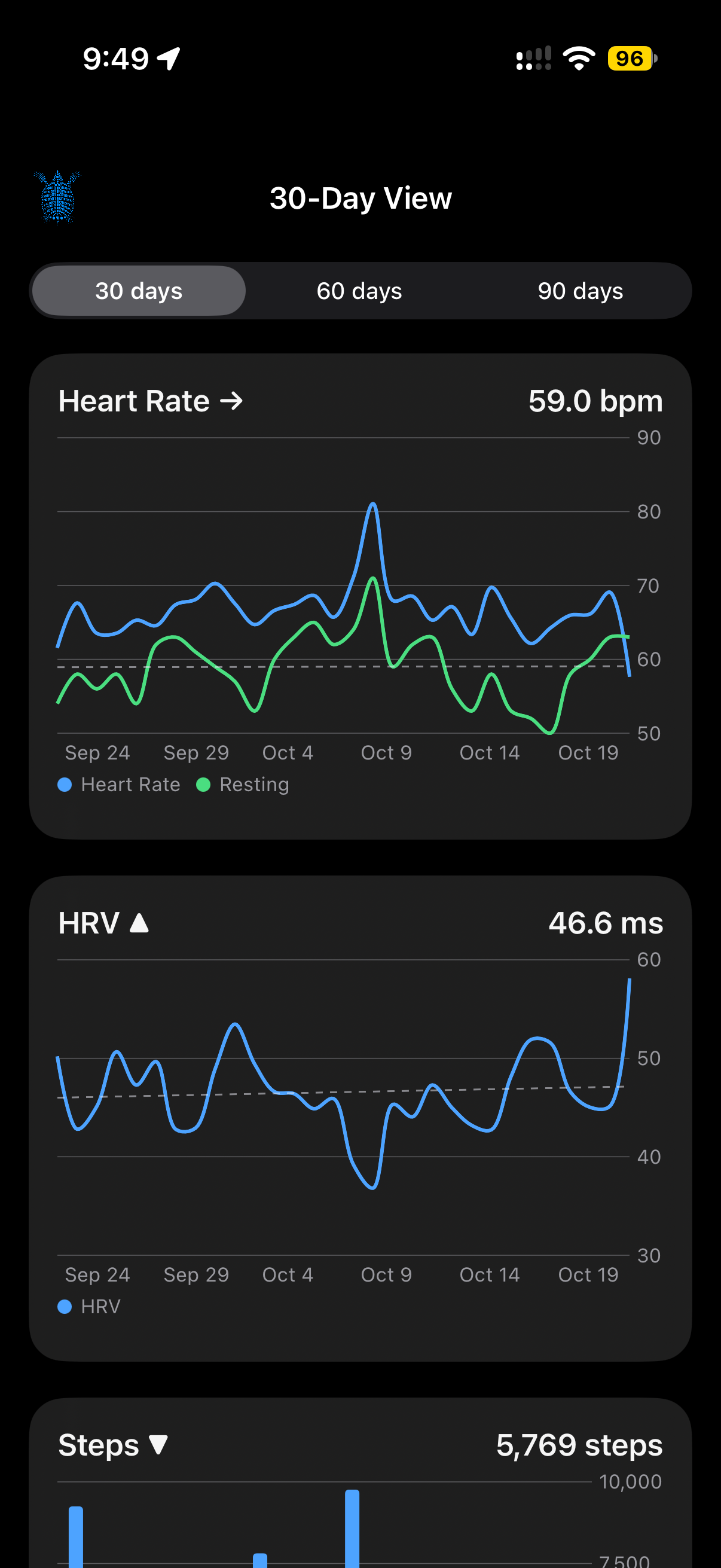
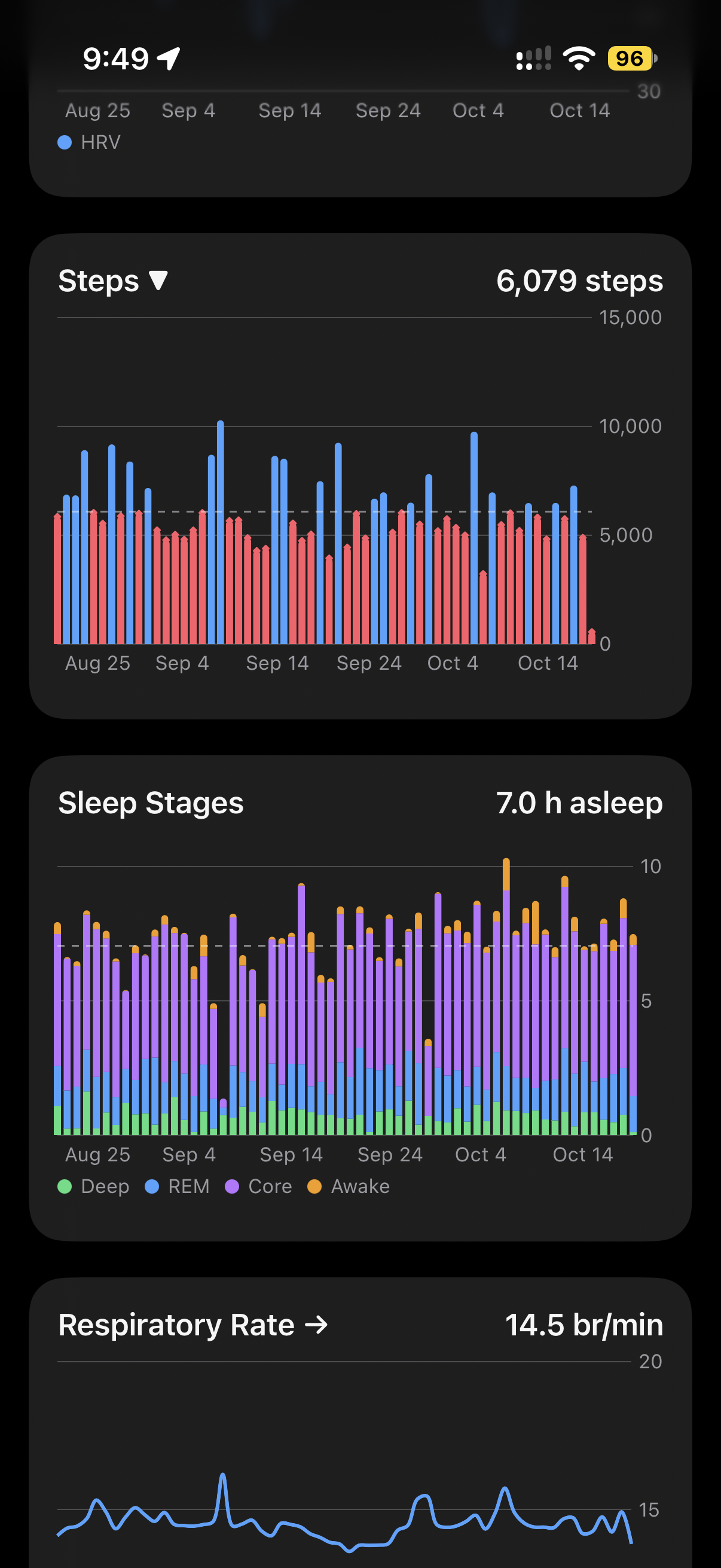
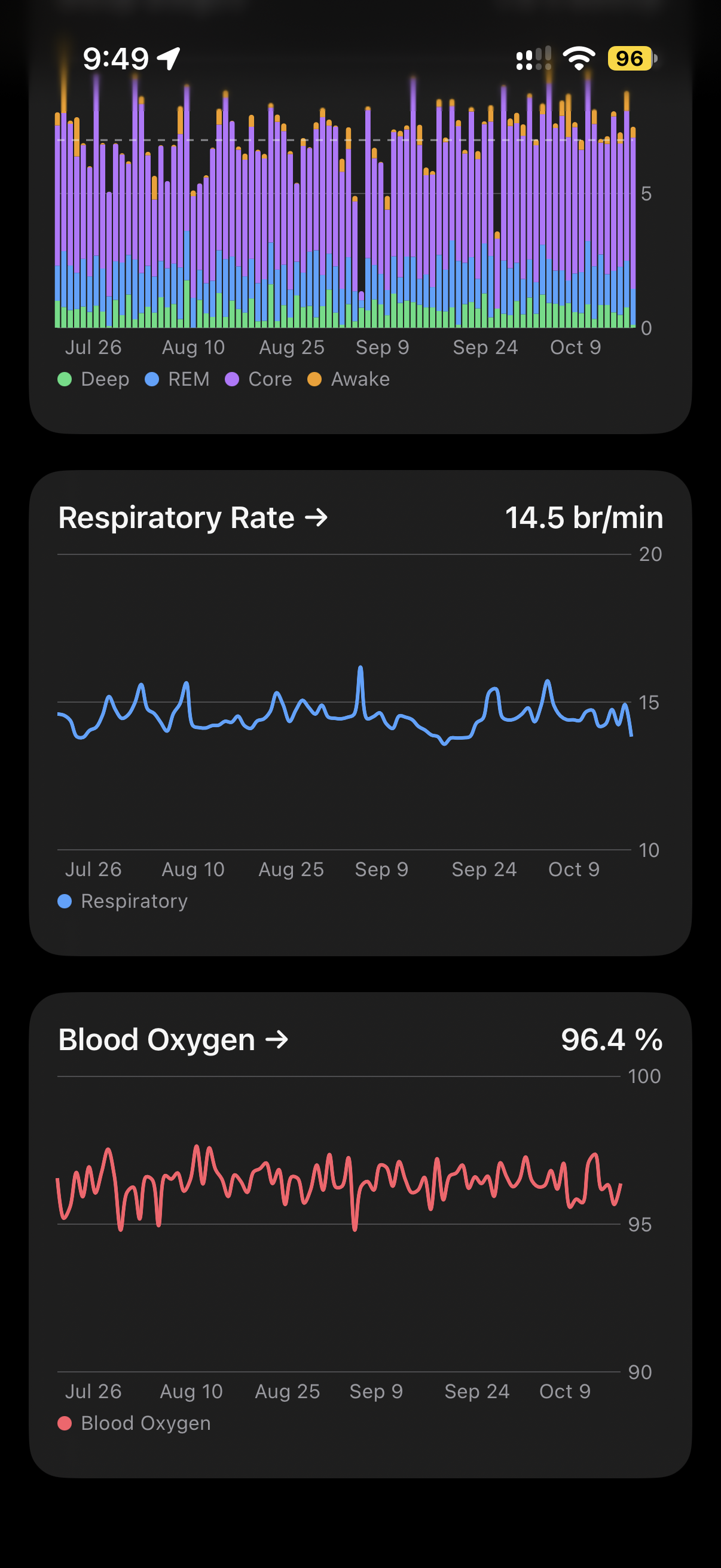
Health Charts turns the step, sleep and other data in Apple Health into clear charts. Turn your iPhone sideways to see the long view.
How It Works
Health Charts reads from Apple Health with your permission and keeps a copy on your iPhone so charts open quickly. Recent data appears first and older history fills in after it. Your data doesn’t leave the device.
Each chart has its own loading, empty and limited-history state, so you can tell missing data from data that’s still on its way. Charts include VoiceOver labels and values.
What It Does
Sleep by stage
Deep, REM, Core and Awake each get a consistent color, with your average marked by a single reference line. Awake time is shown but never counted as sleep.
Steps against your average
Days below your average stand out by more than color alone, and trends use a steady calculation instead of comparing first and last days.
The long view in landscape
Rotate to landscape for weekly totals across quarters and years, with buttons to change the range and the metric.
Fast and private
Charts load recent data first and keep a cache on the device, so they appear quickly. Force Refresh rereads everything from Health.